Software versioning is a full topic on its own, version updates are often a simple, easy and cost-effective way to add new features and improve your user experience. By using a released version number the source control systems know that the code is the latest version and it can not be modified by other people (accidentally or intentionally).

In case on commercial software a new version releases success will impact user’s experience, user conversion rates, lots of complains and disappointed users leaving your services.

Most of the time, releasing a new version of a software could be to add new functionality or fixing a bug, of course, it will depend on the organization or business.

In my case, the test environment overlaps production environment, don’t judge me!

Let me gives you some context.

Being one-man team developing for a small organization with around 50 users give you no advantage at all because everything need to be done it is up to you. A supervisor performs as the only test environment before new build is released, build will be tested in general aspects and the specific new feature or to fix a bug.

Prerequisite

All devices are in the same network

Have read access to a share folder or network drive repository or local mapped drive, we will called drive Z:

Your software, lets name it ABC, being installed on the devices.

What do you need?

A little files settings in Z: and in the devices in Program Files/ABC/ folder
The idea it is to copy the content from Z://Update/ to  Program Files/ABC/ in the devices when certain file was modified.

So, how does it works?

Every time you launch the application, a MS-DOS routine will run and compare two files: one located in Program Files/ABC/ and one located in Z:. If they are different, the MS-DOS routine copies files and resources from Z: to Program Files/ABC/. Then it launches your application.

Simple, right?

That way every morning or every time users open the application on their devices, these routines checks for new releases and therefore users will be using the last released version of your application.

Of course, this method has pros and cons.

 ProsCons
Run a MS-DOS routine before the application x
Z: drive should be mapped or accessible so you x
Update or new release anytimex 
Dashboard Toolx 
Set it and forget itx 
   

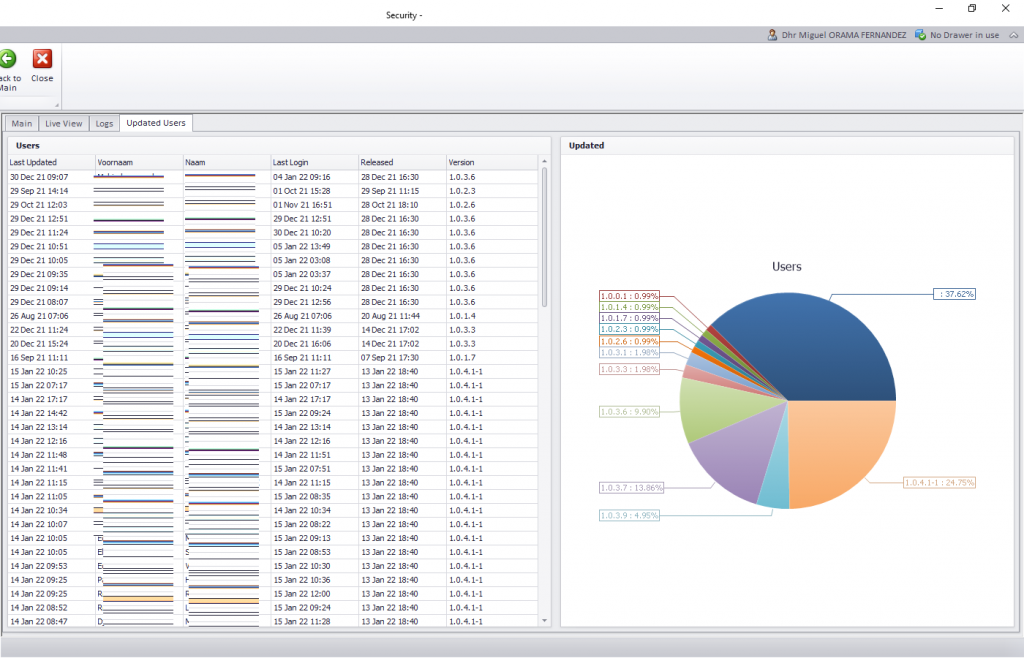
Since this ERP application security is Role Base Access Control (RBAC) it always useful having a Log Tracking or Access Control Log features running on your application so you know users activities at all times.
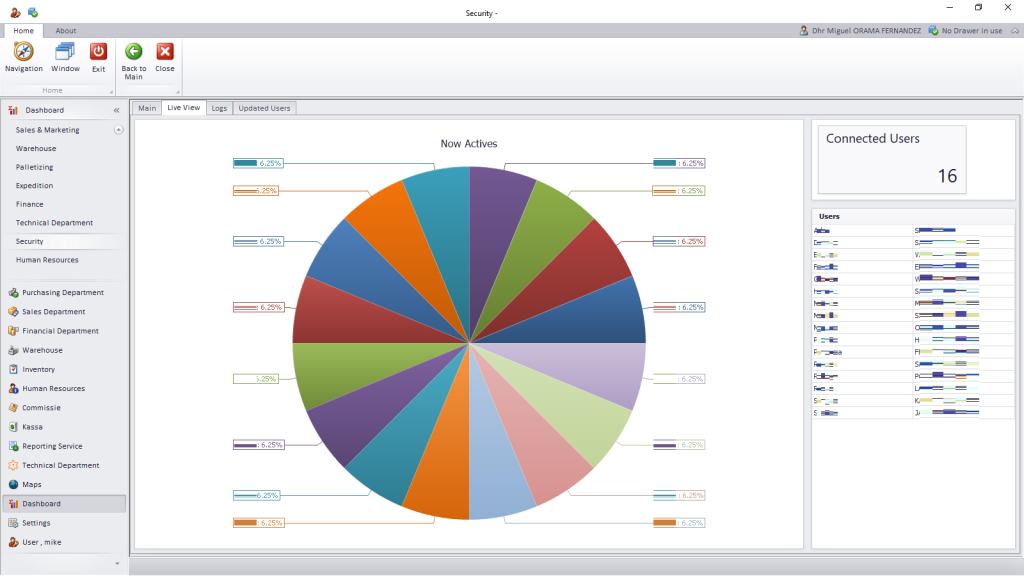
Here is a Dashboard view that displays information about Last Released Date, Last Login, Last Updated the versions per user, this is important to detect if users are “up to date” with the last version of the application.
Conclusions

It’s a simple solution that as a developer save me time it is seamless for the users because for they doesn’t have to worry about anything else.

Make it simple.

Categories:

0 Comments

Leave a Reply

Avatar placeholder

Your email address will not be published. Required fields are marked *

Software versioning is a full topic on its own, version updates are often a simple, easy and cost-effective way to add new features and improve your user experience. By using a released version number the source control systems know that the code is the latest version and it can not be modified by other people (accidentally or intentionally).

In case on commercial software a new version releases success will impact user’s experience, user conversion rates, lots of complains and disappointed users leaving your services.

Most of the time, releasing a new version of a software could be to add new functionality or fixing a bug, of course, it will depend on the organization or business.

In my case, the test environment overlaps production environment, don’t judge me!

Let me gives you some context.

Being one-man team developing for a small organization with around 50 users give you no advantage at all because everything need to be done it is up to you. A supervisor performs as the only test environment before new build is released, build will be tested in general aspects and the specific new feature or to fix a bug.

Prerequisite

All devices are in the same network

Have read access to a share folder or network drive repository or local mapped drive, we will called drive Z:

Your software, lets name it ABC, being installed on the devices.

What do you need?

A little files settings in Z: and in the devices in Program Files/ABC/ folder
The idea it is to copy the content from Z://Update/ to  Program Files/ABC/ in the devices when certain file was modified.

So, how does it works?

Every time you launch the application, a MS-DOS routine will run and compare two files: one located in Program Files/ABC/ and one located in Z:. If they are different, the MS-DOS routine copies files and resources from Z: to Program Files/ABC/. Then it launches your application.

Simple, right?

That way every morning or every time users open the application on their devices, these routines checks for new releases and therefore users will be using the last released version of your application.

Of course, this method has pros and cons.

 ProsCons
Run a MS-DOS routine before the application x
Z: drive should be mapped or accessible so you x
Update or new release anytimex 
Dashboard Toolx 
Set it and forget itx 
   

Since this ERP application security is Role Base Access Control (RBAC) it always useful having a Log Tracking or Access Control Log features running on your application so you know users activities at all times.

Here is a Dashboard view that displays information about Last Released Date, Last Login, Last Updated the versions per user, this is important to detect if users are “up to date” with the last version of the application.

Conclusions

It’s a simple solution that as a developer save me time it is seamless for the users because for they doesn’t have to worry about anything else.

Make it simple.

Categories:

0 Comments

Leave a Reply

Avatar placeholder

Your email address will not be published. Required fields are marked *