Managing and monitoring a truck fleet is key factor to achieved efficiency in companies and organizations in the delivery process.
In this article, we will cover these topics:
- Developing Technology
- UDP Protocol and Receiving tracking data
- Process and Converting the data
- Rules and Notification
- Live Fleet Viewer
This solution is based on 3 simple application:
- UDP Receiver
- Extract & Process Data
- Live Fleet Viewer
Developing Technology
Main technology to build this solution are:
- C# Visual Studio .NET Framework
- Entity Framework 5.0
- Microsoft SQL Server 2016
- OpenStreetmap
UDP Protocol and Receiving tracking data
User Diagram Protocol (UPD) is a communication protocol that facilitates the exchanges of messages between devices in a network, in this case is 4G LTE cellular network.
All delivery trucks are equipped with a GPS device + active SIM card.
By using UPD protocol, GPS devices sends tracking data to the company using UDP Protocol via the cellular network.
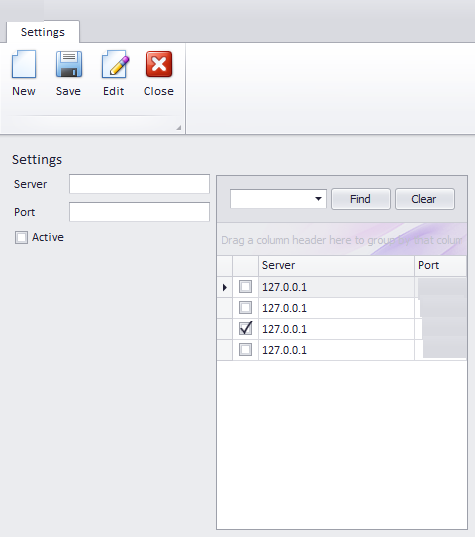
The tracking data received by the server has certain structure and it contains:
- Device ID
- Date
- Latitude and Longitude
- Bearing
- Speed
- Altitude
- and other related data
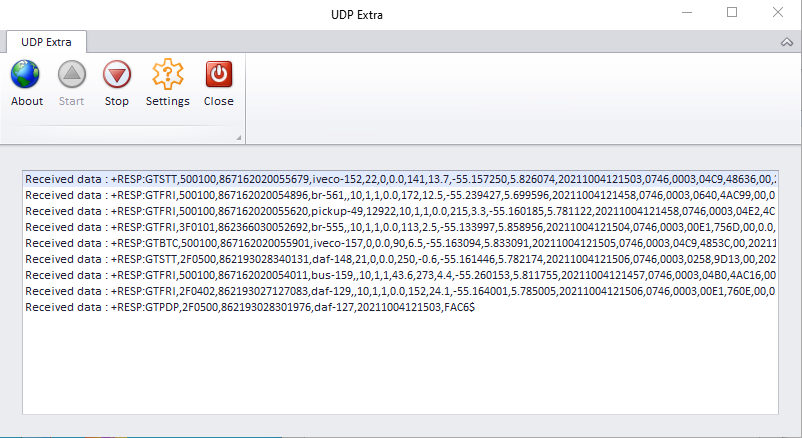
GPS devices are set to send tracking data every 1 min, so it was important to build a dedicated application that constantly “listen” the incoming port to receive and save the tracking data in th database.
Process and converting data
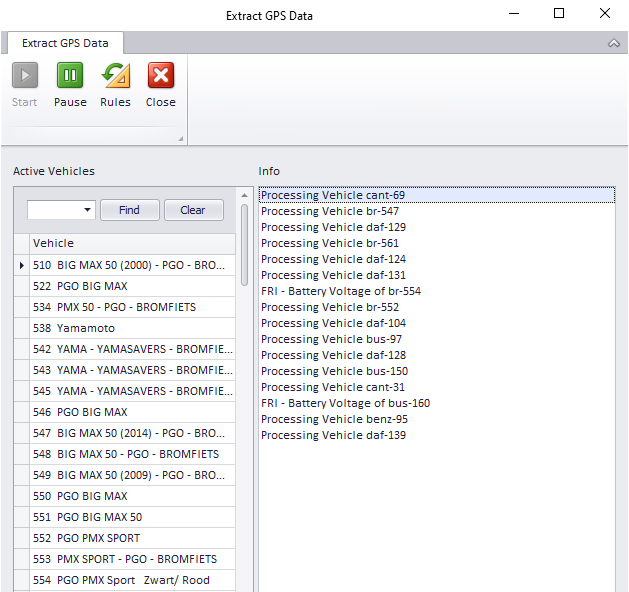
Once the tracking data is saved in the database, a scheduled routine will process the receiving data and extract the information from the receiving data per vehicle.
Rules and Notification
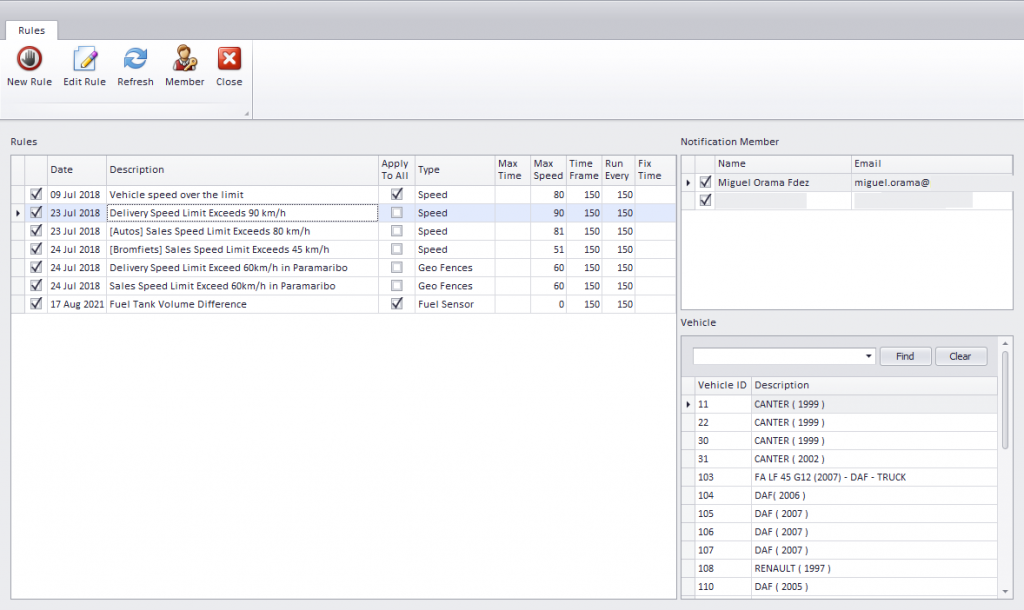
Being able to “apply” or not rules and send email notification with the performance and tracking information of the fleet was an essential requirement for this solution.
Supervisor responsible are notified by email in the case the tracking data analysis meet the rules constrains.
Live Fleet Viewer
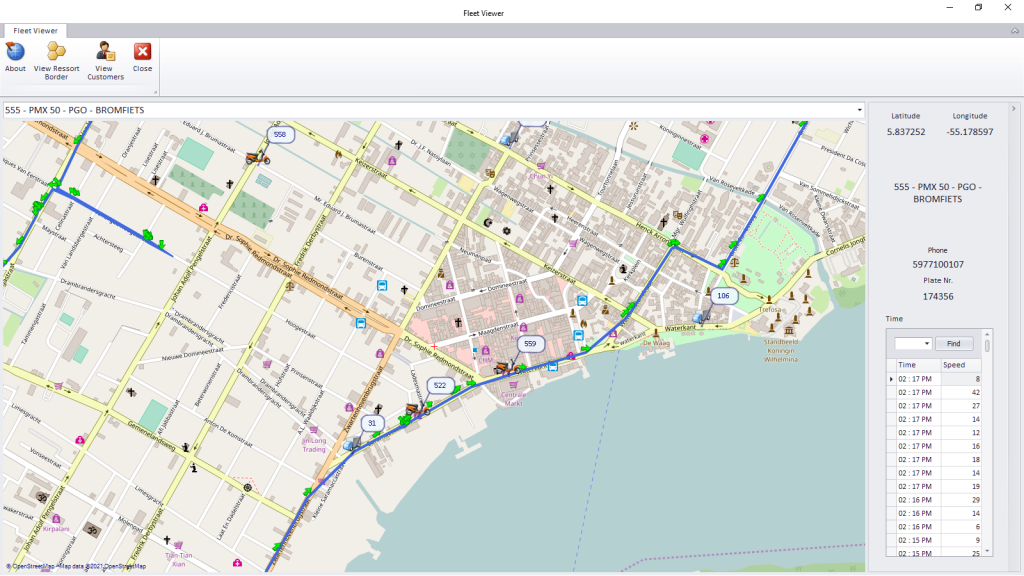
By using the maps controls from OpenStreetMap we are able to “track” every vehicle from the fleet.
This live view will refresh automatically every 1 minute.
General view or a specific vehicle tracking its possible as well.
This view also display the customer’s location in the map, but this will be topic for another article.
Conclusions
Building a .NET application with C# from Visual Studio IDE .NET Framework it’s so satisfying due the visual tools, components, controls and libraries from .NET Framework.
C# its consider by many, one of the most powerful and capable programming language from .NET Framework highly recommended to almost any king of application development.
For a GPS Fleet Management the solution was 3 different applications and each has a specific functionality in order to meet the requirement:
- UDP Receiver
- Extract & Process Data
- Live Fleet Viewer
There were challenges during the building and deployment process.
The apps are running from every day long since year 2018.
All the requirement were met.
Supervisor and Management Team rely on the Live Fleet View to monitor the fleet’s status while delivering.
0 Comments